
D25 Fall Regional – Woburn, MA
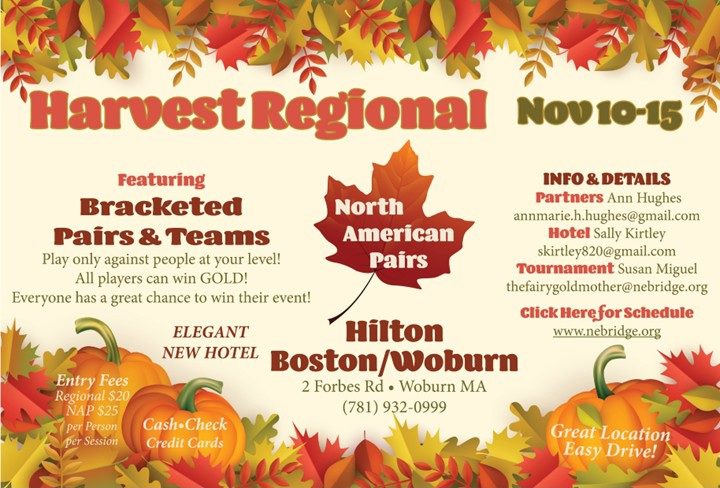
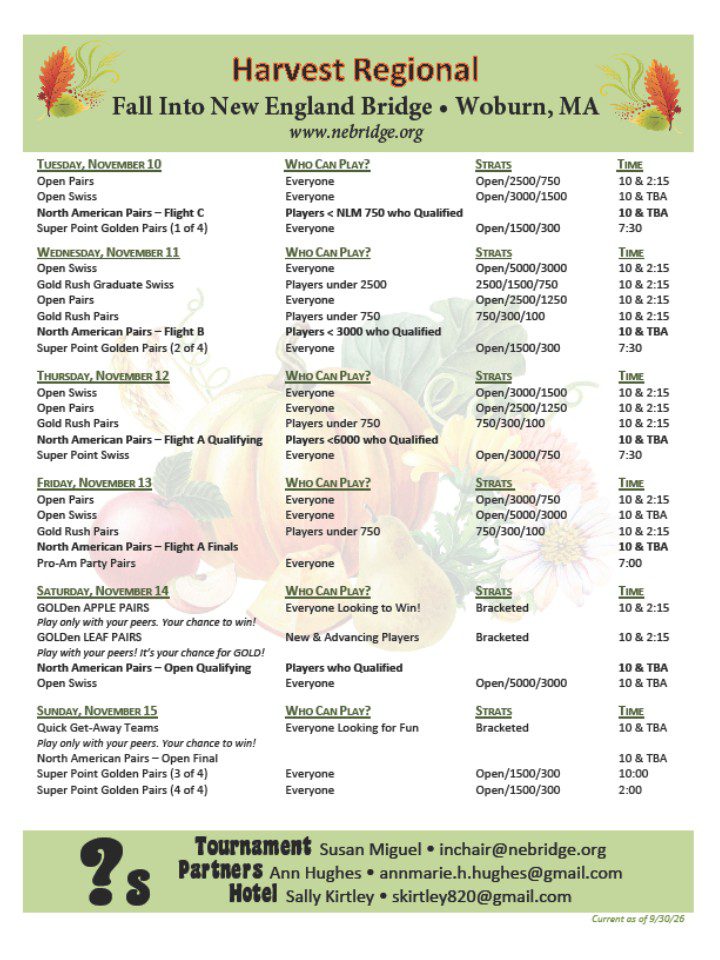
Harvest Regional Pairs Partnership
Harvest Regional Team Partnership
Partnerships are also available (for iPhone users) using the BridgeHub app.
Android users can use the online version at http://bridgehub.acbl.org/.
BridgeHub Tricks and Tips
iPhone users, download and install bridgeHUB from the App Store.
Android users, (there isn’t a download available yet) use your browser at bridgehub.acbl.org.
Click “Login into MyACBL”. Then login.
Choose an avatar or upload your own photo.
If you have an issue uploading your own photo, check your phone permission settings.
Swipe Right and add your system. (required).
You may also add “something about yourself”.
Finding Our Regional Events
Swipe Right to navigate to the “Events” screen.
Click the boxes for the games that interest you.
Choose “Players” at the bottom of the screen.
Select “Filter” at the top of the next screen.
Choose “Set Filter” to save.
This saves your event selections.
Your “Players” screen will now be populated with any other people who are interested in the same events.
Narrow down potential partners based on their masterpoints® and/or preferred systems.
Tap on a player to choose them and on their “chat bubble” to start a chat with your potential partner.
When you have a message, a red dot will appear on your Chat icon.
Send me a Chat and I’ll Chat you back!